AI for Software Development: Building an AI-Powered Engineering Workflow
AI for Software Development An AI-powered software development solution designed to enhance the entire engineering lifecycle—from requirements analysis and architecture planning to code generation, debugging, testing, documentation, and code review. The system combines AI capabilities with project context, automated validation, and human oversight to help developers work faster while maintaining code quality, security, and maintainability. Key Focus: AI-assisted development, intelligent debugging, automated testing, code review, developer productivity, and context-aware software engineering.
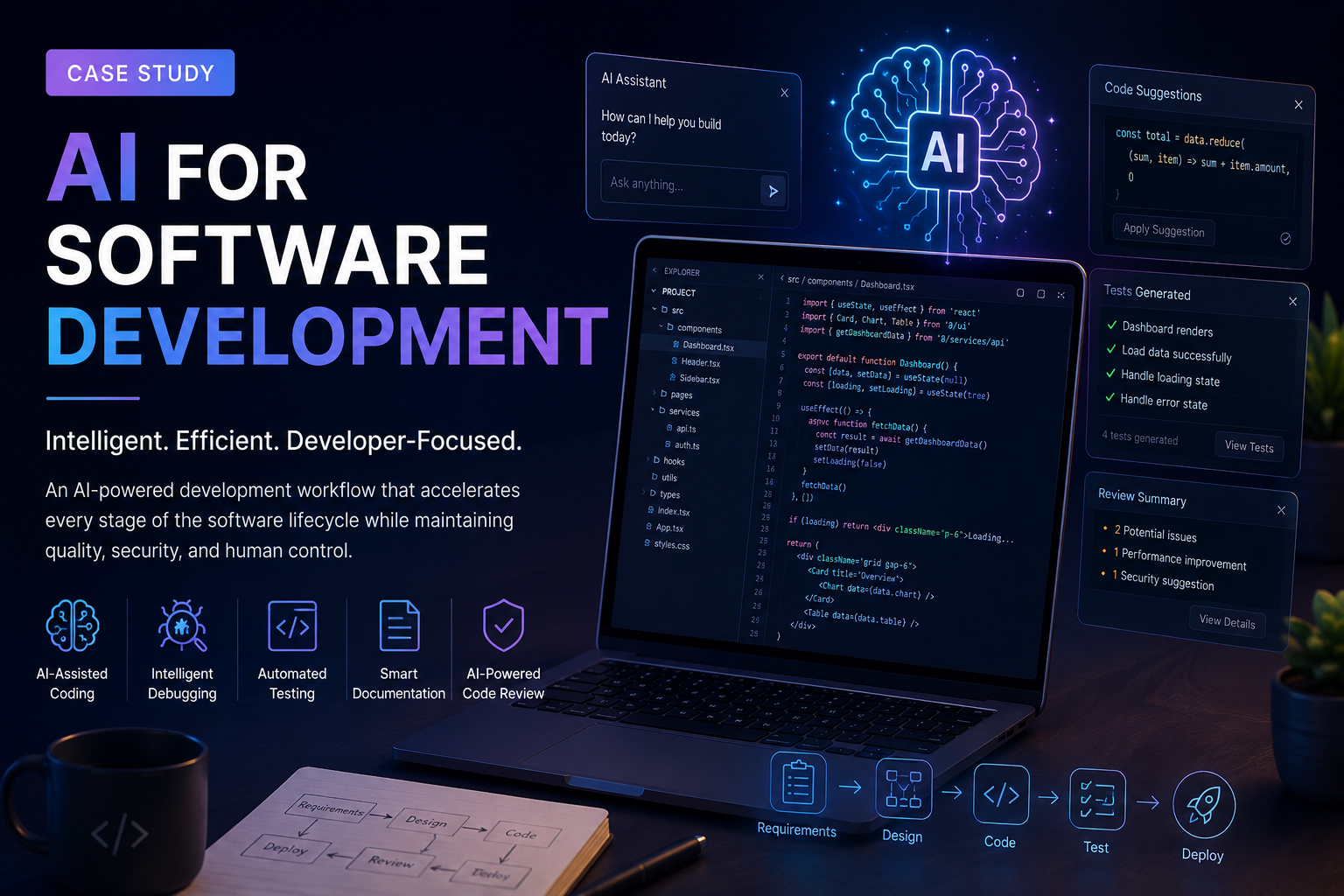
AI for Software Development: Building an AI-Powered Engineering Workflow
Executive Summary
Software development is becoming increasingly AI-assisted, but simply adding an AI coding tool to an existing workflow does not automatically make engineering teams faster or more productive.
The real opportunity is to integrate AI into the software development lifecycle—requirements analysis, architecture, code generation, debugging, testing, documentation, code review, and developer support—while keeping human engineers responsible for technical decisions and quality.
This case study explores the design of an AI-powered software development workflow designed to help developers reduce repetitive engineering work, accelerate implementation, improve code quality, and make technical knowledge easier to access.
The solution combines modern web technologies, AI capabilities, structured prompts, developer workflows, automated validation, and human-in-the-loop review.
Project Type: AI-Powered Software Development Platform
Industry: Software Development / Developer Tools
Focus: AI-assisted coding, debugging, testing, documentation, and developer productivity
Architecture: Modern Web Application + AI Services + Backend APIs
Primary Goal: Reduce development friction without compromising engineering quality
1. The Challenge
Modern software development involves much more than writing code.
A typical feature may require developers to:
Understand business requirements.
Convert requirements into technical specifications.
Design the architecture.
Create components and APIs.
Write implementation code.
Debug errors.
Write unit and integration tests.
Perform code reviews.
Write documentation.
Refactor and optimize the implementation.
Maintain the feature after deployment.
Many of these activities involve repetitive cognitive work.
For example, developers frequently spend time:
Searching documentation.
Understanding unfamiliar code.
Finding the source of errors.
Writing repetitive boilerplate.
Creating test cases.
Generating documentation.
Refactoring similar patterns.
Reviewing pull requests.
Converting requirements into implementation tasks.
The problem was therefore not simply:
"How can AI write code?"
The more important question was:
"How can AI become an intelligent engineering assistant throughout the software development lifecycle?"
2. Project Objective
The primary objective was to create an AI-assisted development workflow capable of supporting developers across multiple stages of software development.
The system was designed around five major goals:
1. Accelerate Development
Help developers generate initial implementations, components, functions, APIs, and boilerplate code faster.
2. Improve Developer Productivity
Reduce time spent on repetitive tasks such as documentation, testing, debugging, and code transformation.
3. Improve Code Quality
Use AI-assisted analysis to identify potential bugs, duplicated logic, poor patterns, security concerns, and maintainability issues.
4. Improve Developer Experience
Provide developers with contextual assistance instead of requiring them to repeatedly search documentation or manually explain the entire project.
5. Keep Humans in Control
AI-generated code should never automatically become production code without validation.
The developer remains responsible for:
Architecture
Security
Business logic
Code review
Testing
Deployment decisions
3. The Core Idea
Instead of treating AI as a simple code generator, the solution treats AI as an engineering copilot.
The workflow can be represented as:
Requirement → Analysis → Architecture → Implementation → Testing → Review → Documentation → Deployment
AI can assist at every stage while deterministic engineering tools remain responsible for validation.
AI Layer
Requirement analysis
Code generation
Code explanation
Debugging assistance
Test generation
Documentation generation
Refactoring suggestions
Code review assistance
Engineering Layer
TypeScript compiler
ESLint
Unit tests
Integration tests
Git
CI/CD
Security scanning
Human code review
This separation is critical.
AI provides probabilistic assistance.
Engineering tools provide deterministic validation.
4. Solution Architecture
The architecture was designed around a modular AI-assisted development platform.
                    ┌──────────────────────┐
                    │      Developer       │
                    └──────────┬───────────┘
                               │
                               ▼
                    ┌──────────────────────┐
                    │    Web Application   │
                    │  Developer Console   │
                    └──────────┬───────────┘
                               │
                               ▼
                    ┌──────────────────────┐
                    │   AI Orchestration   │
                    │       Layer          │
                    └──────────┬───────────┘
                               │
              ┌────────────────┼────────────────┐
              │                │                │
              ▼                ▼                ▼
        ┌───────────┐    ┌───────────┐    ┌───────────┐
        │ LLM/API   │    │ Code      │    │ Project   │
        │ Provider  │    │ Context   │    │ Knowledge │
        └───────────┘    └───────────┘    └───────────┘
              │                │                │
              └────────────────┼────────────────┘
                               ▼
                    ┌──────────────────────┐
                    │ Generated Response   │
                    │ / Code / Analysis    │
                    └──────────┬───────────┘
                               │
                               ▼
                    ┌──────────────────────┐
                    │ Validation Pipeline  │
                    │ Tests / Lint / Types │
                    └──────────┬───────────┘
                               │
                         ┌─────┴─────┐
                         ▼           ▼
                     Approved     Requires
                     Output       Revision
5. AI Development Workflow
Step 1 — Requirement Understanding
The developer provides a natural-language requirement.
For example:
"Build a customer dashboard where users can view orders, filter them by status, and download invoices."
Instead of immediately generating code, the AI first converts the requirement into a structured specification.
AI analyzes:
User roles
Functional requirements
UI requirements
Data requirements
API requirements
Authentication requirements
Edge cases
Error states
Validation rules
The output can then become a technical implementation plan.
6. AI-Assisted Architecture Planning
Before writing code, AI can help generate an initial architectural proposal.
For example:
Dashboard
│
├── Orders
│   ├── OrderList
│   ├── OrderFilters
│   ├── OrderDetails
│   └── InvoiceDownload
│
├── API
│   ├── GET /orders
│   ├── GET /orders/:id
│   └── GET /orders/:id/invoice
│
└── Services
    ├── OrderService
    └── InvoiceService
The developer then reviews and modifies the architecture before implementation.
This approach prevents a common AI-development problem:
Generating large amounts of code before understanding the system.
7. AI Code Generation
Once the architecture is approved, AI can generate implementation code.
Typical use cases include:
Frontend
React components
Next.js pages
Forms
Tables
Navigation
UI states
Validation
API integration
Backend
API routes
Controllers
Services
Database queries
Authentication logic
Validation
Testing
Unit tests
Integration tests
Edge-case tests
Mock data
The important principle is incremental generation.
Instead of asking AI to generate an entire application in one request, the system works feature-by-feature.
This produces smaller outputs that are easier to review, test, and correct.
8. Context-Aware AI
One of the biggest weaknesses of generic AI coding assistance is lack of project context.
An AI model may generate syntactically correct code that does not match the existing architecture.
For example, a project may use:
Next.js
TypeScript
Firebase
React Hook Form
Zod
Tailwind CSS
shadcn/ui
The AI should understand these project conventions before generating code.
The context layer can provide:
Project structure
Existing components
Type definitions
API contracts
Coding conventions
Database schema
Authentication model
Existing utilities
Relevant documentation
This makes AI output much more consistent with the existing application.
9. AI-Powered Debugging
Debugging is another high-value AI use case.
A developer can provide:
Error:
Hydration failed because the server rendered HTML
doesn't match the client.

Component:
Navbar.tsx
Instead of simply explaining the error, an AI debugging workflow can analyze:
Error message
Relevant component
Related components
Recent changes
Framework conventions
Server/client boundaries
The AI can then provide:
Root-cause hypothesis
Problematic code
Suggested fix
Explanation
Potential side effects
Validation steps
The goal is to move from:
Error → Search → Trial and Error
toward:
Error → Context Analysis → Hypothesis → Fix → Validation
10. Automated Test Generation
AI can also generate test cases based on implementation logic.
For example, a login function may require tests for:
Valid credentials
Invalid credentials
Empty email
Invalid email format
Incorrect password
Locked account
Network failure
Unauthorized access
The AI can generate the initial test suite, but the tests must still execute in the actual development environment.
This distinction matters.
AI-generated tests are suggestions until they successfully execute against the real application.
11. AI-Assisted Code Review
AI can act as a first-pass code reviewer.
A review workflow can analyze:
Correctness
Possible bugs
Incorrect conditions
Missing error handling
Race conditions
Security
Authentication weaknesses
Authorization issues
Unsafe input handling
Sensitive data exposure
Performance
Unnecessary rendering
Inefficient database queries
Large client-side bundles
Repeated API requests
Maintainability
Duplicate code
Poor abstractions
Excessive complexity
Naming problems
The result can be categorized by severity:
CRITICAL
HIGH
MEDIUM
LOW
SUGGESTION
This helps developers prioritize fixes instead of treating every AI suggestion equally.
12. AI Documentation Generation
Documentation is frequently neglected because developers prioritize implementation.
AI can generate documentation from the existing codebase.
Examples include:
API documentation
Function descriptions
Component documentation
README files
Setup instructions
Architecture documentation
Change summaries
Documentation can also be updated when major implementation changes occur.
However, generated documentation should be validated against the actual code because AI can confidently describe behavior that does not exist.
13. AI-Powered Refactoring
AI can identify opportunities to improve existing code.
For example:
Before
Large component
    ↓
API logic
    ↓
Validation
    ↓
Business logic
    ↓
UI rendering
AI can suggest separating responsibilities:
Component
│
├── UI
├── Hooks
├── Services
├── Validation
└── Utilities
This can improve:
Maintainability
Testability
Reusability
Developer experience
But refactoring should be incremental rather than blindly applying large AI-generated changes.
14. Human-in-the-Loop Architecture
A critical design decision is that AI should not have unrestricted authority.
The workflow follows:
AI Suggestion
      ↓
Developer Review
      ↓
Automated Validation
      ↓
Tests
      ↓
Code Review
      ↓
Merge
Rather than:
AI
 ↓
Production
This reduces the risk of:
Hallucinated APIs
Incorrect business logic
Security vulnerabilities
Breaking changes
Hidden edge cases
15. Technology Stack
A modern implementation can be built using technologies such as:
Frontend
Next.js
React
TypeScript
Tailwind CSS
shadcn/ui
Backend
Next.js API routes/server functions
Node.js
REST APIs
Database
Firebase Firestore
PostgreSQL
MongoDB
depending on project requirements.
AI Layer
Large Language Model APIs
Structured prompting
Retrieval-augmented generation
Embeddings
Vector search where required
Validation
TypeScript
ESLint
Unit testing
Integration testing
CI/CD
Infrastructure
Git
GitHub
Cloud deployment
Environment-based configuration
The exact stack should be selected according to application requirements rather than forcing AI into a predetermined technology stack.
16. Prompt Engineering Strategy
Prompt quality directly affects AI output quality.
Instead of:
"Create a login page."
A structured request can specify:
Role:
Senior frontend engineer

Framework:
Next.js App Router

Language:
TypeScript

UI:
Tailwind + shadcn/ui

Requirements:
- Email/password login
- Client-side validation
- Loading state
- Error state
- Accessible labels
- Responsive design

Constraints:
- Reuse existing Button component
- Do not create duplicate utilities
- Follow existing project conventions

Output:
- Component code
- Required imports
- Validation schema
- Explanation of implementation
- Test cases
This reduces ambiguity and produces more predictable results.
17. Retrieval-Augmented Generation
For larger projects, the AI needs access to relevant project knowledge.
A retrieval layer can search project information before generating an answer.
For example:
Developer Question
       ↓
Query Understanding
       ↓
Project Search
       ↓
Relevant Files / Docs
       ↓
Context Construction
       ↓
LLM
       ↓
Context-Aware Answer
Instead of asking the model to rely entirely on its general knowledge, the system provides relevant project-specific information.
This is particularly useful for:
Large repositories
Internal documentation
API specifications
Design systems
Legacy applications
Enterprise codebases
18. Security Considerations
AI-powered development introduces additional security concerns.
Sensitive Data
API keys, passwords, tokens, and private credentials should never be unnecessarily sent to an external AI provider.
Environment variables and secret management should be used.
Source Code Privacy
Organizations must understand:
Where source code is processed
How data is retained
What provider policies apply
Who can access generated logs
Prompt Injection
If AI processes untrusted content, malicious instructions can potentially manipulate model behavior.
Therefore, external content should not automatically be treated as trusted instructions.
Generated Code Security
AI-generated code should undergo normal security review.
AI assistance does not replace:
Security testing
Dependency scanning
Authentication review
Authorization review
Penetration testing
19. Performance Optimization
AI integration introduces latency and infrastructure costs.
Therefore, the system should avoid sending unnecessary context.
Optimization techniques
Context filtering
Token limits
Response streaming
Caching
Request batching
Model selection based on task complexity
Smaller models for simple tasks
Larger models for complex reasoning
For example:
Simple formatting
      ↓
Smaller / faster model

Code explanation
      ↓
Standard model

Architecture analysis
      ↓
More capable reasoning model
This can reduce both cost and latency.
20. Cost Optimization
AI development can become expensive if every operation uses the largest available model.
A better strategy is a tiered architecture.
Low Complexity
Examples:
Formatting
Simple documentation
Naming suggestions
→ Low-cost model
Medium Complexity
Examples:
Component generation
Bug explanation
Test generation
→ Standard model
High Complexity
Examples:
Architecture analysis
Complex debugging
Large refactoring
Security analysis
→ Advanced reasoning model
The goal is not to maximize AI usage.
The goal is to maximize engineering value per AI request.
21. Key Challenges
Challenge 1 — Hallucinations
AI can produce code that looks correct but uses nonexistent APIs or incorrect assumptions.
Solution
Use:
Documentation retrieval
Type checking
Automated tests
Developer review
Challenge 2 — Inconsistent Code
AI-generated code can introduce patterns that differ from the existing project.
Solution
Provide:
Project conventions
Existing examples
Component libraries
Architecture guidelines
Challenge 3 — Over-Generation
Large AI responses can introduce unnecessary complexity.
Solution
Use incremental development:
Requirement
 ↓
Plan
 ↓
Small implementation
 ↓
Validate
 ↓
Continue
Challenge 4 — Security Risks
AI may generate insecure implementation patterns.
Solution
Combine AI with traditional security practices.
Challenge 5 — Developer Over-Reliance
Developers may accept AI output without understanding it.
This creates a serious long-term risk.
Solution
AI should explain important implementation decisions and developers should remain responsible for reviewing generated code.
22. Results and Expected Business Impact
The primary value of AI-assisted software development is not simply generating more lines of code.
The meaningful outcomes are:
Faster Feature Development
Developers can reduce time spent on repetitive implementation tasks.
Faster Debugging
AI can help developers move from error messages to potential root causes faster.
Better Documentation
Documentation becomes easier to maintain.
Improved Developer Experience
Developers spend less time on repetitive mechanical tasks.
Higher Engineering Leverage
A developer can focus more attention on:
Architecture
Product decisions
Business logic
Performance
Security
User experience
The exact productivity improvement should be measured using real project data rather than assumed percentages.
23. Success Metrics
A serious AI development platform should measure outcomes.
Useful KPIs include:
MetricWhat It MeasuresTime to First ImplementationDevelopment speedFeature Lead TimeEnd-to-end deliveryPR Cycle TimeReview efficiencyBug RateQualityRework RateAI output qualityTest CoverageValidationDeveloper Acceptance RateUsefulness of AI suggestionsAI Cost per FeatureFinancial efficiencyMean Time to ResolutionDebugging efficiencyDeployment FrequencyEngineering velocity
One important principle:
Do not measure success using lines of code generated.
More generated code does not necessarily mean better engineering.
24. What Makes the Approach Different
A basic AI coding assistant focuses primarily on:
Code generation
This approach focuses on:
Engineering workflow augmentation
That distinction matters.
The system supports:
Requirements
     ↓
Planning
     ↓
Architecture
     ↓
Coding
     ↓
Testing
     ↓
Debugging
     ↓
Review
     ↓
Documentation
     ↓
Deployment
AI becomes a layer across the lifecycle rather than a replacement for the developer.
25. Lessons Learned
Lesson 1
AI output quality depends heavily on context.
Better project context generally produces more useful results.
Lesson 2
Small AI tasks are easier to validate than large AI tasks.
Generating one component is easier to review than generating an entire application.
Lesson 3
Validation is more important than generation.
AI can generate code quickly, but compilers, tests, linters, and human review determine whether that code should actually be trusted.
Lesson 4
AI should augment developers rather than replace engineering judgment.
Architecture and business decisions require contextual understanding that cannot be delegated blindly.
Lesson 5
Productivity should be measured through outcomes.
The goal is not more code.
The goal is better software delivered with less unnecessary effort.
26. Future Improvements
The platform can evolve toward a more autonomous development workflow.
Potential improvements include:
AI Development Agents
Agents could independently:
Analyze issues
Modify code
Generate tests
Run validation
Create pull requests
Repository Intelligence
The AI could maintain a continuously updated understanding of:
Architecture
Dependencies
APIs
Components
Coding standards
Automated Regression Analysis
AI could analyze changes and identify potentially affected areas before deployment.
Intelligent CI/CD
AI could analyze failed builds and suggest fixes automatically.
Developer Analytics
Organizations could measure where developers spend time and identify the highest-value AI automation opportunities.
27. Final Architecture Vision
The long-term architecture can evolve into:
                     Developer
                         │
                         ▼
                ┌─────────────────┐
                │ AI Engineering  │
                │     Console     │
                └────────┬────────┘
                         │
                         ▼
                ┌─────────────────┐
                │ AI Orchestrator │
                └────────┬────────┘
                         │
       ┌─────────────────┼─────────────────┐
       │                 │                 │
       ▼                 ▼                 ▼
   Planning          Coding           Debugging
       │                 │                 │
       └─────────────────┼─────────────────┘
                         ▼
                 ┌───────────────┐
                 │ Code Context  │
                 │ + RAG Layer   │
                 └───────┬───────┘
                         │
                         ▼
                 ┌───────────────┐
                 │ AI Model(s)   │
                 └───────┬───────┘
                         │
                         ▼
                 Generated Changes
                         │
                         ▼
                ┌─────────────────┐
                │ Validation      │
                │ Typecheck       │
                │ Lint            │
                │ Tests           │
                │ Security        │
                └────────┬────────┘
                         │
                         ▼
                 Human Code Review
                         │
                         ▼
                    Production
Conclusion
AI is changing software development, but the biggest opportunity is not simply replacing manual coding with generated code.
The stronger approach is to build an AI-assisted engineering system where artificial intelligence handles repetitive cognitive tasks while developers retain control over architecture, business logic, security, and quality.
The combination of:
AI + Project Context + Automation + Deterministic Validation + Human Review
creates a significantly more reliable development workflow than AI-generated code alone.
The future of software development is therefore unlikely to be:
Developers vs. AI
Instead, the competitive advantage will come from:
Developers who know how to build effective engineering systems around AI.